



LAGSWITCH for all games

Neural cheats
Description
LAGSWITCH is a universal tool for monitoring the network environment in online games
This software solution is a tool for advanced network management in any multiplayer games. It allows you to manually control the time delays (lags) and stability of your client's connection to the game server, creating short-term tactical advantages on request.
The principle of operation is based on the controlled interruption or delay of network packet transmission. This can be used to synchronize actions, create moments of unpredictability for the enemy, or perform critical maneuvers in conditions of an artificially induced local network anomaly. The utility works at the network adapter level and is configured for the specific parameters of your connection.
Media
System Requirements
Supported CPU: Intel & AMD
Supported OC: Windows 10, 11

All current functionality is below, screenshots and product descriptions above may differ from this list of functions.
CHECKOUT
Select the desired subscription plan
Enable desync – activates all core features
Enable Keybind – keybind to activate features
Sounds – sound effects for actions (e.g. activation)
Firewall mode – uses Windows Firewall instead of a driver
Path – path to the target executable/game (used with Firewall mode)
Method – activation method selection:
Temporary: desync runs according to configured duration
Pressing: runs until the key is pressed again
Hold: runs while the key is being held down
Traffic – type of traffic to block:
Outbound: outgoing traffic
Inbound: incoming traffic
Duration – desync active time (without kick bypass, for Temporary method)
Delay after – delay after desync ends before it can be reactivated
KeyBind – main hotkey for desync activation
Protocol – traffic protocol to block:
UDP
TCP
Kick bypass – prevents disconnection from the game due to poor connection:
Duration: duration of each desync cycle
Separator: delay between desync cycles
Iterations: number of desync repetitions (Duration * Iterations)
Randomizator – randomizes the duration of the block
Fix Traffic – emergency button to restore internet if something goes wrong
Save Configuration – saves current config
Reset Configuration – resets config to default settings
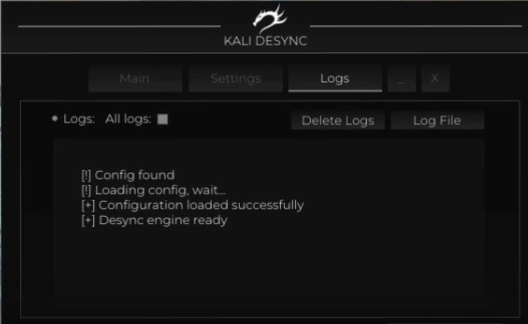
All logs – enables log display during desync activation
Delete Logs – removes log files
Log File – location of the log file
Logs – displays software activity logs
Customer Reviews
Instructions
LAGSWITCH
07.07.26