Chams for Delta Force — Your Color Tactical Vision
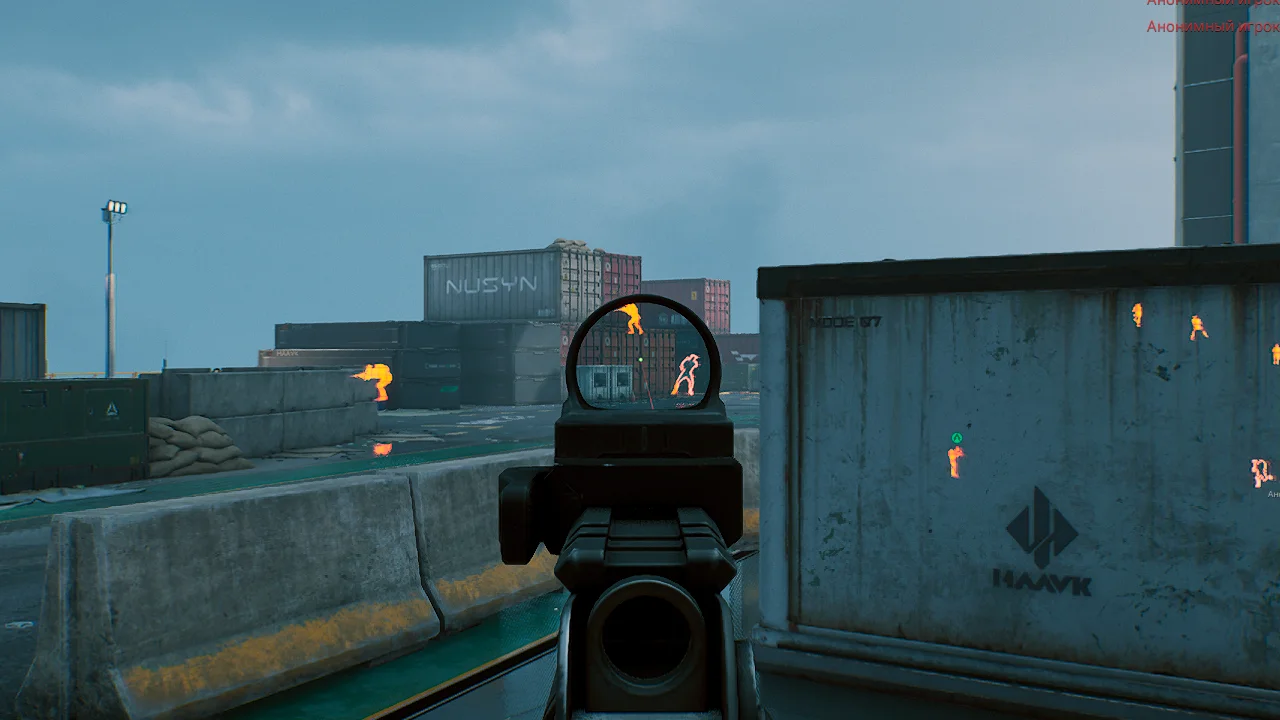
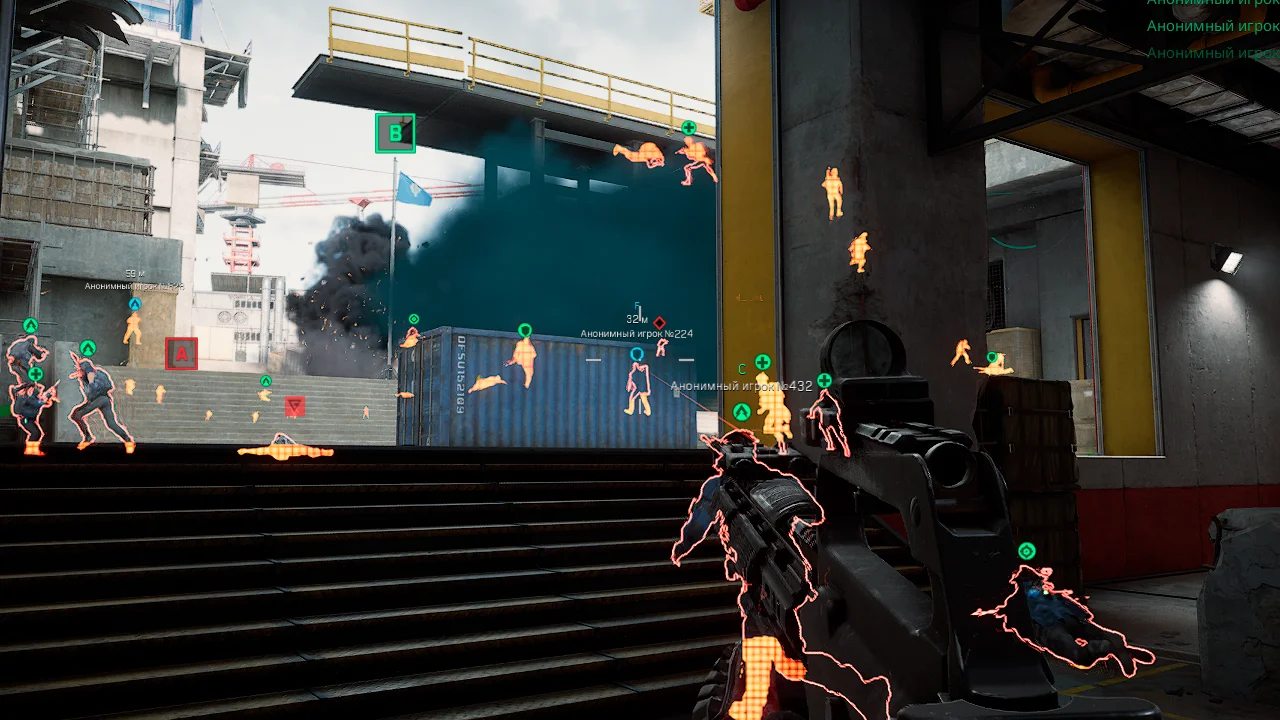
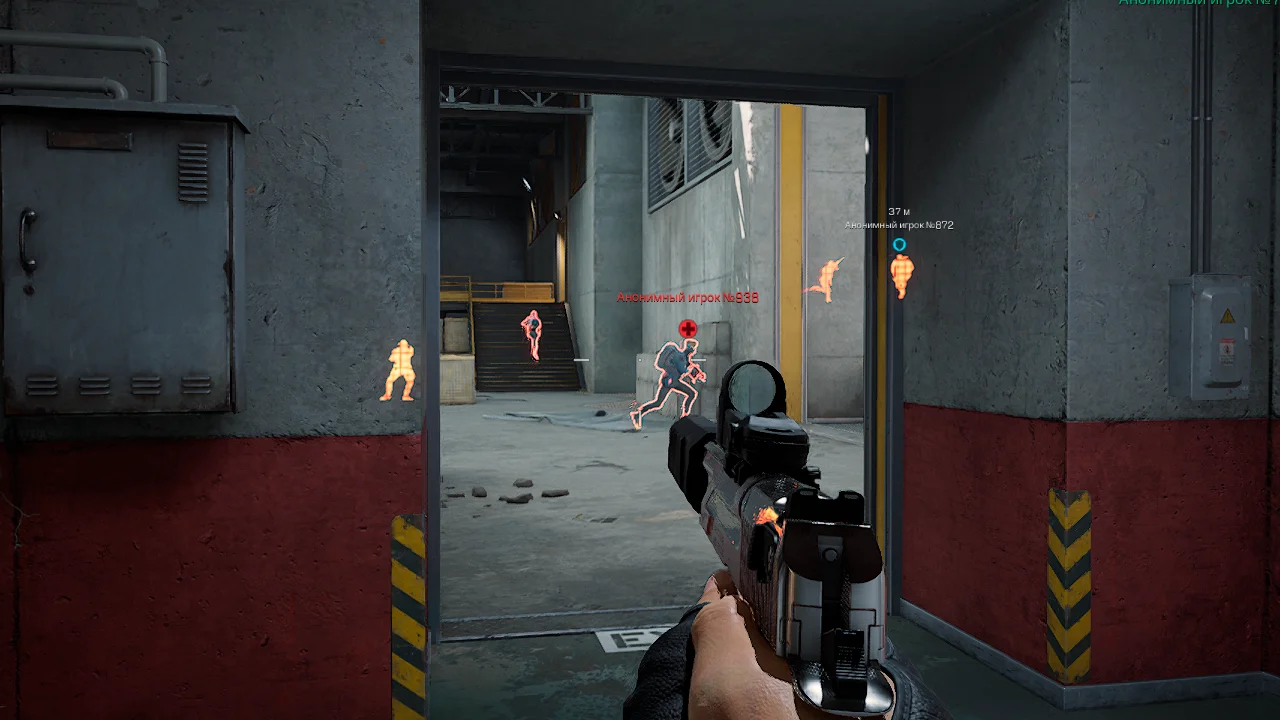
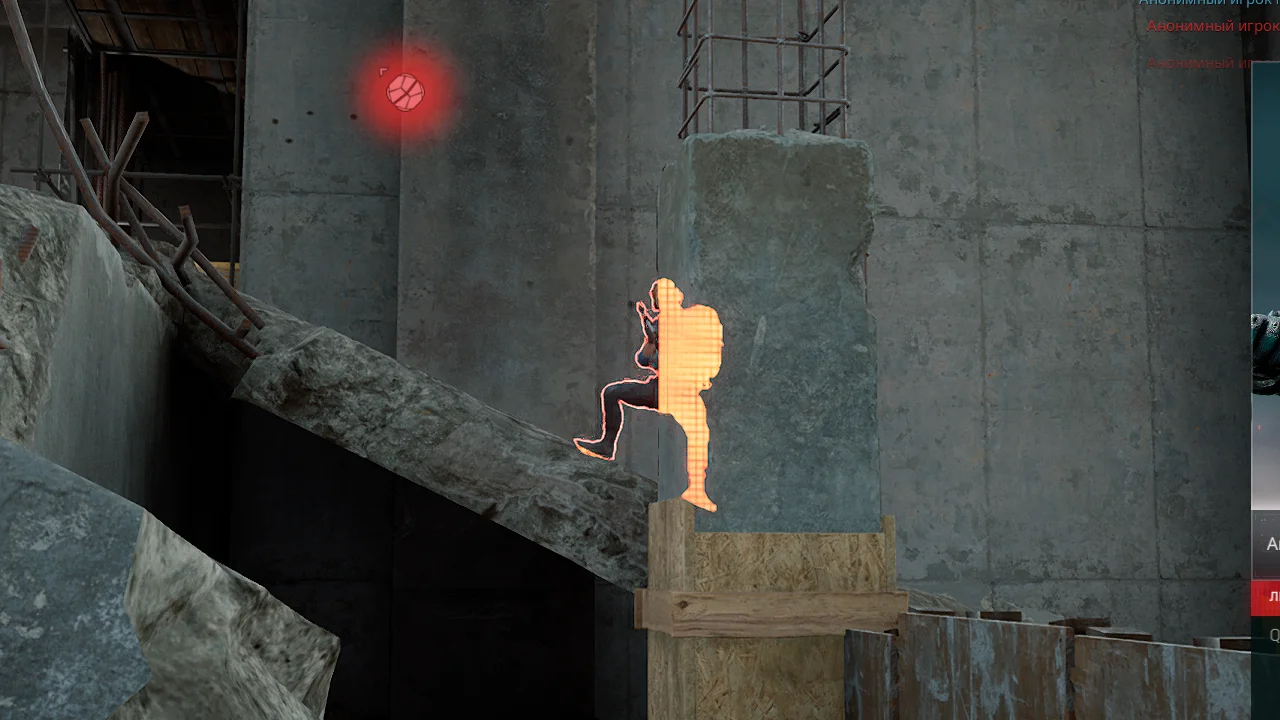
Chams is a specialized visual modification for Delta Force that completely redefines how you see opponents on the battlefield. Unlike classic ESP solutions that work through two-dimensional boxes and lines, Chams is embedded directly into the rendering of game models, painting enemies in bright, contrasting colors visible through any obstacles.: walls, floors, vegetation, and smoke screens.
Media
System Requirements
Operating system: Windows 10, Windows 11 (21H2, 22H2, 23H2, 24H2, 25H2)
Processor: AMD & Intel
Video card: NVIDIA & AMD
Client: Steam, Epic Games (EGS), Delta Force Launcher (Global), Garena, WeGame (China)
All current functionality is below, screenshots and product descriptions above may differ from this list of functions.
CHECKOUT
Select the desired subscription plan
Don’t like the commission? No suitable payment methods? Can’t launch the cheat? Need a discount?
No problem! Click the button and write to the administrator who will solve any issue.
Chams Wallhack - WH in the form of a complete coloring of the player model using the game engine
Visible Check - the players in the visible area and behind the obstacle are colored in different colors
Players - WH shows players
Bots - WH shows bots from operations
Animals - Chams display different animals
Customer Reviews
Instructions
Chams
12.02.26
Step-by-step instructions:
1. After payment you will receive a license key to activate the product. Download the loader
2. Before starting, you need to make sure that everything is ready for this:
Antivirus and Windows Defender must be disabled, as this may block the cheat from loading and starting.
3. Now download the cheat loader from this link .
4. Run the downloaded file. Antivirus must be disabled. Run it as administrator. The first start can last 2-7 minutes.
5. To activate the key click on the "Activation key" button and enter the key received after purchase.
6. Make sure that the game is closed. Select DayZ from the list of available games and click Load.
7. After Game will be opened Menu will be opened in game. Cheat menu - Insert key.
The cheat is able to show cities from Chernarus, as well as from Livonia DLC.
CHEAT LAUNCH VIDEO
What to do if the software does not work?:
To ensure the software works correctly, follow these steps:
1. Using DControl, disable Windows Defender + completely remove all other antiviruses. Necessarily!!! 2. Disable UAC. Necessarily!!! 3. Disable all items in the Exploit Protection tab [DEP, ASLR, CFG, etc.] In rare cases, for some cheats. 4. Disable Smart Screen. Necessarily!!! 5. Disable Firewall. Necessarily!!! 6. Install DirectX and Microsoft Visual C++ Microsoft Visual C++ DirectX 7. Disable kernel isolation. Necessarily!!! 8. Remove Faceit and Valorant [Vanguard] anti-cheat. [Do not remove Vanguard if the cheat is intended for the game Valorant]. Necessarily!!! 9. Faceit - [Open a command prompt as administrator and type [sc stop faceit] ]. Necessarily!!! Vanguard - [Open a command prompt as administrator and type [sc delete vgc] + [sc delete vgk] ]. Necessarily!!! 11. Restart your computer. If you have uninstalled your antivirus, Vanguard or Faceit. Necessarily!!!
Payment Methods
Price:
2200₽
1999₽
After the payment is completed, the login and password for your personal account on the website will be sent to the email address you provided, where you will find the key to the private software. Once the purchase is complete, your account will be automatically registered on our website.
Main payment methods (Automatically)
It is important to note that when paying using manual payment methods, the discount from your personal account is not considered and does not apply to the calculation. Moreover, it is not credited to your personal balance. The same applies to other payment methods listed in the "Other Payment" section. However, this payment method provides for the automatic delivery of the product.
Other Payment Methods (Manually)
×
Our website uses cookies to improve your experience. Learn more in the Privacy policy